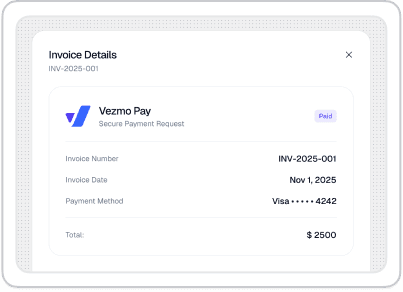
Invoicing & Payments
Send polished invoices, automate reminders, and get paid faster with multiple payment options.

Reach out now and get expert guidance tailored to your project needs.
Copyright © 2025 Vezmo Technology , Inc. All rights reserved
Vezmo is the registered trademarks of Vezmo Technology, Inc.
Blog›Automation ROI: where small...
Most owners don’t need more software. They need fewer repeats: retyping the same customer details, chasing the same unpaid invoices, and rebuilding the same reports every month. The real small business automation ROI shows up when you delete those loops and turn them into a checklist that runs itself.
This post is a practical, numbers-first look at where automation typically pays back fastest. We’ll use plain assumptions, do the math, and point to the workflows that most consistently free up 15+ hours per week across a small team—without turning your business into a science project.
If you want automation decisions to feel obvious, use a model you can calculate in five minutes:
Example: if your operations manager costs USD 42/hour loaded and you save 6 hours/week, that is 42 x 6 = USD 252/week, or about USD 13,104 per year. Add even USD 100/month in avoided errors and you’re at roughly USD 14,304/year. That is the bar your automation tool needs to clear.
Two rules keep the model honest:
For many SMBs, the highest-return automation is the least glamorous: generating invoices on time, sending them the same way every time, and following up before a human gets annoyed. This is where automate billing becomes a direct cashflow lever.
A realistic baseline for a small service team is 25 invoices/week. If manual invoicing + follow-up averages 12 minutes each, that’s 300 minutes (5 hours) weekly. Add 1–2 hours for reconciliation and you are at 6–7 hours/week.
Automation target: cut that by 60–80% by using templated invoices, saved items/taxes, scheduled sends, and automatic reminders. Even if you only save 4.5 hours/week at USD 35/hour loaded, that’s USD 157.50/week or roughly USD 8,190/year.
This is also where you can improve cash timing. If reminders reduce your average days-to-pay by even 3 days on USD 60,000/month in invoices, that is USD 6,000 freed up in working capital (60,000 x 3/30). Owners feel that.
Practical setup note: tools like VezmoPay work best when payment links, reminder cadence, and receipt messages are standardized so your team isn’t “inventing the process” per client.
Expense capture looks small until you measure it. The time cost isn’t just uploading receipts—it’s the rework when something is missing at month-end.
Common manual pattern:
Assume 80 expenses/month. If each one causes just 3 minutes of “receipt chasing” across both sides, that’s 240 minutes (4 hours) monthly. Then add another 2 hours/month for coding errors and unclear vendors. Call it 6 hours/month.
Automation target: capture receipts immediately (photo/email forward), auto-extract vendor/date/total, and push a clean item into your books. Saving 5 hours/month at USD 35/hour loaded is USD 175/month or roughly USD 2,100/year. The bigger win is accuracy: fewer miscategorized expenses and fewer compliance headaches.
Onboarding is a repeatable workflow disguised as a custom project. When it’s manual, it quietly consumes senior time: checking forms, collecting documents, and confirming access.
A simple onboarding automation stack usually includes:
Let’s do the math. If you onboard 6 new clients/month and each onboarding takes 2.5 hours of admin coordination, that’s 15 hours/month. If automation removes 1.5 hours per client (forms, reminders, document chasing), you save 9 hours/month.
At USD 40/hour loaded, that is USD 360/month or roughly USD 4,320/year. And the quality win is real: fewer missed documents means fewer “we can’t start yet” delays that make your business look disorganized.
This is where operational automation pays back in retention. First impressions are operational.
Reporting work expands because it’s easy to rationalize: “It’s only an hour.” Then you do it for five stakeholders, across three spreadsheets, every month.
Look for repeated steps like:
If you spend 3 hours/month building a simple P&L pack and 2 hours/month answering questions and finding “why the number changed,” that’s 5 hours/month. Automation can cut this sharply by standardizing chart definitions and generating a consistent monthly pack from the same source.
Even a conservative 3 hours/month saved at USD 50/hour loaded is USD 150/month or roughly USD 1,800/year. If you pair this with cleaner books (from expense capture and invoicing automation), the saved time stacks.
The fastest way to ruin SMB workflow automation is to automate edge cases before your “happy path” is stable. Here are the patterns that usually disappoint:
A better approach is to automate in layers:
If you want a realistic target, start with the four workflows above and assign an owner to each. A common outcome for a 3–8 person business looks like this:
That’s 8–13 hours/week in direct time savings, plus 2–4 hours/week you stop bleeding on rework and exception handling. If you want the full 15+, add one more workflow that fits your business (scheduling, approvals, inventory updates, or quote-to-invoice handoff).
The point isn’t to automate everything. It’s to automate the parts that make your team feel like they’re constantly restarting the same day. If you use tools like VezmoBooks and the Vezmo client portal to keep billing, documents, and reporting consistent, the ROI shows up quickly—and it keeps compounding.
If you want a sanity check: write down your top three recurring weekly tasks, estimate minutes per occurrence, and multiply by frequency. The highest number is usually your best first automation project.
Soft CTA: If you’re trying to get your time back without adding a dozen disconnected tools, Vezmo can help you standardize billing, client workflows, and reporting so the same work doesn’t keep landing on your desk.