

Free · no sign-up

Free invoice generator

Fill in your details and download a clean PDF invoice.

Template

This is an example. Type over it, or start from a blank invoice.

Your business
Bill to

PNG, JPG or WebP, up to 2 MB.

Invoice details

Due —

Items
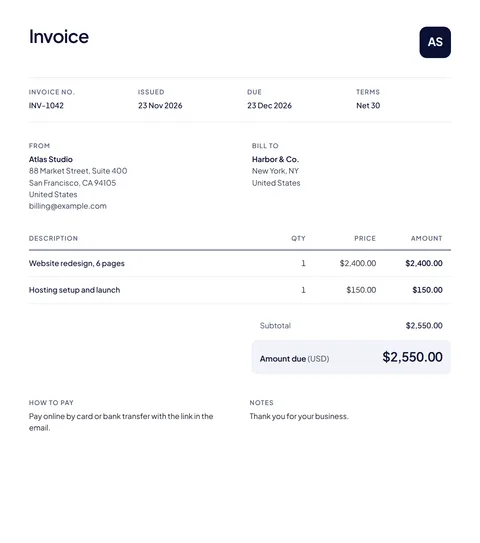
  1. Amount$2,400.00
  2. Amount$150.00
Discount and tax
Discount (optional)
Subtotal
$2,550.00
Amount due
$2,550.00
Payment and notes

Stays in this browser. PDF: choose Save as PDF in the print window.

Get paid for this invoice with Vezmo

VisaMastercardDiscoverApple PayGoogle Pay ACH
Paid by card2.79% + $0.29
$2,478.56after a $71.44 fee
Paid by ACH0.9% + $1.00, capped at $10
$2,540.00after a $10.00 fee

+1% for cards issued outside the US. American Express on Vezmo: 2.89% + $0.49. Starting rates, confirmed when we approve your account.

Amount due$2,550.00

What to include on an invoice

Seven parts make an invoice easy to pay. Every template here has all seven.

  1. 1The word “Invoice”At the top, so your client sees at a glance that it's a bill, with your logo if you have one.
  2. 2A number and the datesA unique invoice number, the issue date, the due date and the payment terms (Net 30).
  3. 3Who it's fromYour name or business, address and email; a tax ID if you have one.
  4. 4Who it's toYour client's name and address, and their reference or PO number if they gave one.
  5. 5What you're charging forOne line per item: description, quantity, rate and amount.
  6. 6The totalSubtotal, any discount and tax, and the amount due, with its currency.
  7. 7How to payBank details or a payment link, and any note for your client.

Net 30 and other payment terms

Payment terms tell your client how long they have to pay. Net 30 means the full amount is due 30 days after the invoice date; Net 7, Net 15 and Net 60 work the same way. Due on receipt means as soon as the client gets it.

Agree the terms with your client before you start the work, then put them and the due date on every invoice, as the generator does.

Example: invoice dated 1 Dec 2026

  1. Due on receiptDue 1 Dec 2026
  2. Net 7Due 8 Dec 2026
  3. Net 15Due 16 Dec 2026
  4. Net 30Due 31 Dec 2026
  5. Net 60Due 30 Jan 2027

Start from a template made for your work

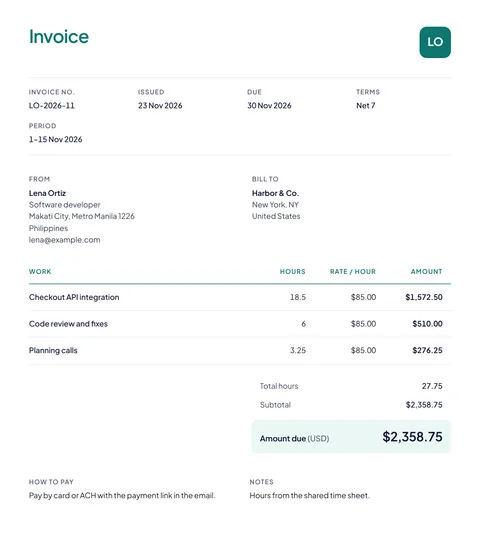
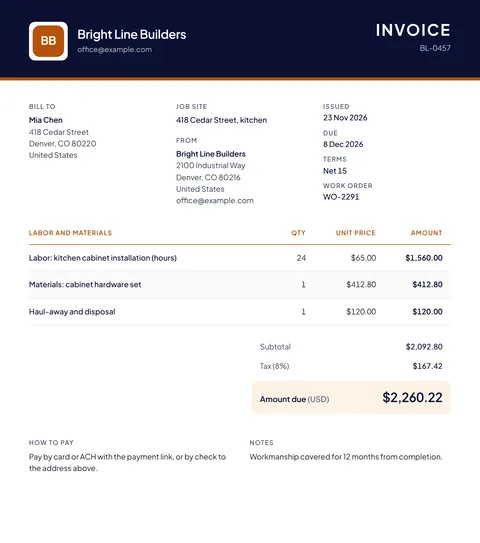
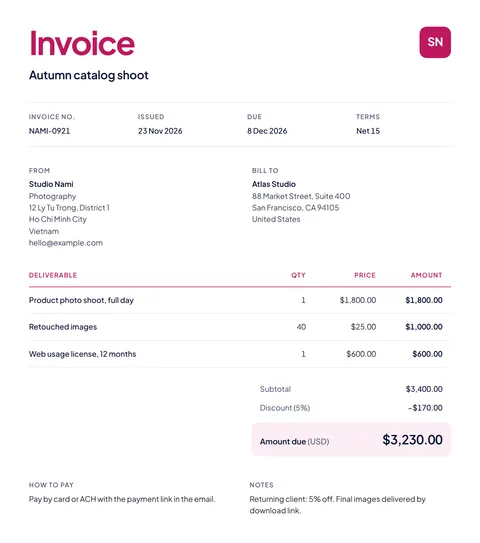
ExampleSee all six templates

Get paid online

Send it from Vezmo, and get paid online

A PDF can't take a payment by itself. Send an invoice from Vezmo by email, with a PDF, and your client pays it online by card, ACH, Apple Pay or Google Pay. You see when it's paid.

  • Paid status and receiptsAutomatically
  • Unlimited invoicesOn every plan
  • From 2.79% + $0.29Card payments
  • ACH 0.9% + $1.00Capped at $10

Starting rates, confirmed when we approve your account; +1% for cards issued outside the US. On a $2,550.00 invoice paid by card, Vezmo's fee is $71.44.

Invoice generator questions

More in the Help center.

Is this invoice generator really free?

Yes. Make as many invoices as you like, download them as PDFs and send them however you want. There's no sign-up, no watermark and no limit on how many you make.

How do I make an invoice?

Five steps, with the generator above or on your own. 1. Add your details and your client's: your business name, address and email, then your client's, and a tax ID if you have one. 2. Number and date it: give each invoice its own number, set the issue date and pick payment terms; the due date follows. 3. List the work: one line per item, with a description, the quantity and the rate; each amount is worked out for you. 4. Add a discount or tax, as a percentage or an amount; tax is added on the total after the discount. 5. Download the PDF: click Download PDF, choose Save as PDF, and send it to your client with how to pay.

Where is my invoice saved?

Only in this browser, on this device. The generator keeps your draft in the browser's own storage so it's there when you come back. Nothing you type is sent to Vezmo or anyone else, and nothing you type goes into the page's address. Clear removes it.

How do I download the invoice as a PDF?

Click Download PDF. Your browser's print window opens: choose Save as PDF as the destination, then save. On an iPhone or iPad, tap Share in the print screen, then Save to Files; on Android, choose Save as PDF. The file is named after the invoice number and the client.

Is this the same as an invoice maker?

Yes. Invoice generator and invoice maker mean the same thing: you fill in your details, the items and the terms, and it lays out the invoice and adds up the totals. This one is free, needs no account and works in your browser.

Can I add my logo?

Yes: a PNG, JPG or WebP image up to 2 MB. It's resized in your browser and kept with your draft, never uploaded. With no logo, the invoice can show your initials in the template's colour.

Which currencies can I use?

50 currencies, each with its own decimals: none for the Japanese yen, two for the US dollar, three for the Kuwaiti dinar. Amounts are formatted with the currency's sign or code.

How are the totals worked out?

Each line is quantity × rate, rounded to the currency's smallest unit (half up). A percentage discount comes off the subtotal, then tax is added on what's left, each rounded once. A fixed discount never goes below zero.

Does the generator know the tax for my country?

No. Type the tax name and rate that apply to you (for example VAT, GST or sales tax); the generator adds it to the total and doesn't check local tax rules. If you're not sure what to charge, ask a tax adviser.

Can my client pay this invoice online?

A PDF can't take a payment by itself. To get paid online, send the invoice from Vezmo: your client pays it by card, ACH, Apple Pay or Google Pay, and you see when it's paid. Card payments start at 2.79% + $0.29, and invoices are unlimited on every plan.

Invoicing and payments

Is Vezmo a bank?

No. Vezmo is a financial technology company, not a bank. Banking and card services are provided by regulated partners and banks.

Read next

Vezmo is a financial technology company, not a bank. Banking and card services are provided by regulated partners and banks.

One platform, worldwide

Get paid from anywhere. Pay out everywhere.

Payments today; accounts, cards and worldwide payouts in early access. One platform for your business.