Hosted checkout
Take a payment on a checkout page Vezmo hosts for you, with one server call and a redirect, covering the session fields, the customer details, expiry, theme, success and cancel redirects, app return links, your order number and Idempotency-Key, fulfilling from the webhook and the session limit.
Overview
Hosted checkout is the simplest way to take a payment from your own site. Your server creates a checkout session, you
send your customer to its url, they pay on a page Vezmo hosts, and they come back to your site. You write no checkout
page, and card details never touch your servers.
New to the API? Take your first test payment walks through it end to end.
How it works
- Your server creates a session with
POST /merchant/secure-paymentsand gets back aurl. - You redirect your customer to that
url. - They pay on the checkout, which shows your business name and the order.
- The checkout sends them to your
successUrl(orcancelUrl), and Vezmo sends your server a webhook event. - Your server ships the order on the
payment.successevent.
Create a session
Your server creates a session with POST /merchant/secure-payments, sending its access token as Authorization: Bearer
and the token, and, if you like, your order number as the Idempotency-Key header (see Your order number). The body
holds the order and the customer, as below. Request and response examples:
Secure payments.
The main fields (every field and its limits are in the secure payments reference):
- title
- Required, up to 255 characters. The order's name on the checkout, and on the payment in VezmoPay.
- amount
- Required. More than 0, at most two decimal places, in major units (
129.00is $129.00). Your server sets it; the customer can't change it. - currency
- Optional,
USDwhen left out. - description
- Optional, up to 2,000 characters.
- client
- Optional: your customer. When you send it,
name,email,country(a two-letter code likeUS) andpostalCodeare required, or the call answers400.phone,company,line1,line2,cityandstateare optional; a full address helps fraud checks. - successUrl and cancelUrl
- Optional. Where the checkout sends the customer afterwards. Both must start with
https://. See Redirects. - ttlMinutes
- Optional. How long the
urlworks: 5 to 1440 minutes, 30 when left out. - theme
- Optional.
light(when left out),dark, orautoto follow the customer's device. - descriptor
- Optional, up to 64 characters. Your own label for where the session came from, like a storefront's name. It shows as Origin on the payment in VezmoPay instead of the title. The customer never sees it.
- saveCard
- Optional. Send
trueonly when your customer agreed to save their card. With aclientemail, a successful card payment saves the card for their next payment with you, and you getpayment_method.saved. - app.returnUrl
- Optional. For a checkout opened from your mobile app. See Mobile apps.
The answer holds the payment in data.payment (its id, and the status INITIATED) and the checkout in
data.securePayment: its url and expiresAt, when the link stops working.
Send the customer to data.securePayment.url, from your server or from your page. The link needs no key or token on
your side.
Fields the endpoint doesn't know are ignored, not refused, so check the spelling of the optional ones.
Your order number
A session has no field for your own order number or other data of yours (a metadata or orderId field is ignored).
Two ways to tie a payment to your order:
- Store
data.payment.idwith your order when you create the session. The same id comes back on the redirect, in everypayment.*event (data.paymentId) and fromGET /merchant/payment/:id. - Use your order number as the
Idempotency-Keyheader (1 to 255 printable ASCII characters; anything else answers400). Then a retry can't open a second session for the same order.
How Idempotency-Key answers:
| You send | The API answers |
|---|---|
| The same key and the same body again | The same payment, with a new url. Use it when a call timed out or a link expired. |
| The same key with another amount, currency, title or description | 422 "Idempotency key was reused with different parameters". |
| The same key after the order was paid | 409 "Payment is in terminal state CAPTURED; use a new idempotency key to start a new payment." The order is paid: never retry it under a new key. |
Keys are kept per teammate whose API key makes the call, across test and live together. An order number you used as a
key in a test run answers 422 in live, or 409 if that test payment went through: that 409 is about the test
payment, not your live order. Give test runs their own keys, like test-1042.
Redirects
When the payment is done, the checkout sends the customer to your pages with the outcome added to the address:
| Outcome | Where the customer goes |
|---|---|
| A card or wallet payment succeeded | successUrl?paymentId=…&status=success |
| A bank payment was submitted (it settles in a few business days) | successUrl?paymentId=…&status=pending |
| The payment failed or was declined | cancelUrl?status=failed |
- An address that already has a query string keeps it; the new values are added.
- Without a
cancelUrl, a declined customer stays on the checkout and can try another card. - Without a
successUrl, the checkout shows Payment successful and tells the customer they can close the page. - The addresses must start with
https://; anything else answers400. They don't need to be in Trusted origins (those are for the embedded checkout).
Expiry
The url works for ttlMinutes (30 by default), until the expiresAt time in the response. Your customer can open it
as often as they like until then.
- Once the payment is done, the link only says This payment is already complete and takes nothing more.
- After
expiresAt, it says This payment link expired and asks the customer for a fresh checkout link.
When a link expires before the customer pays, create the session again. With the same Idempotency-Key and body you get
the same payment with a fresh url.
Theme
theme sets light, dark or auto (it follows the customer's device). The checkout shows your business name, and the
first letter of it as its mark.
What your customer sees
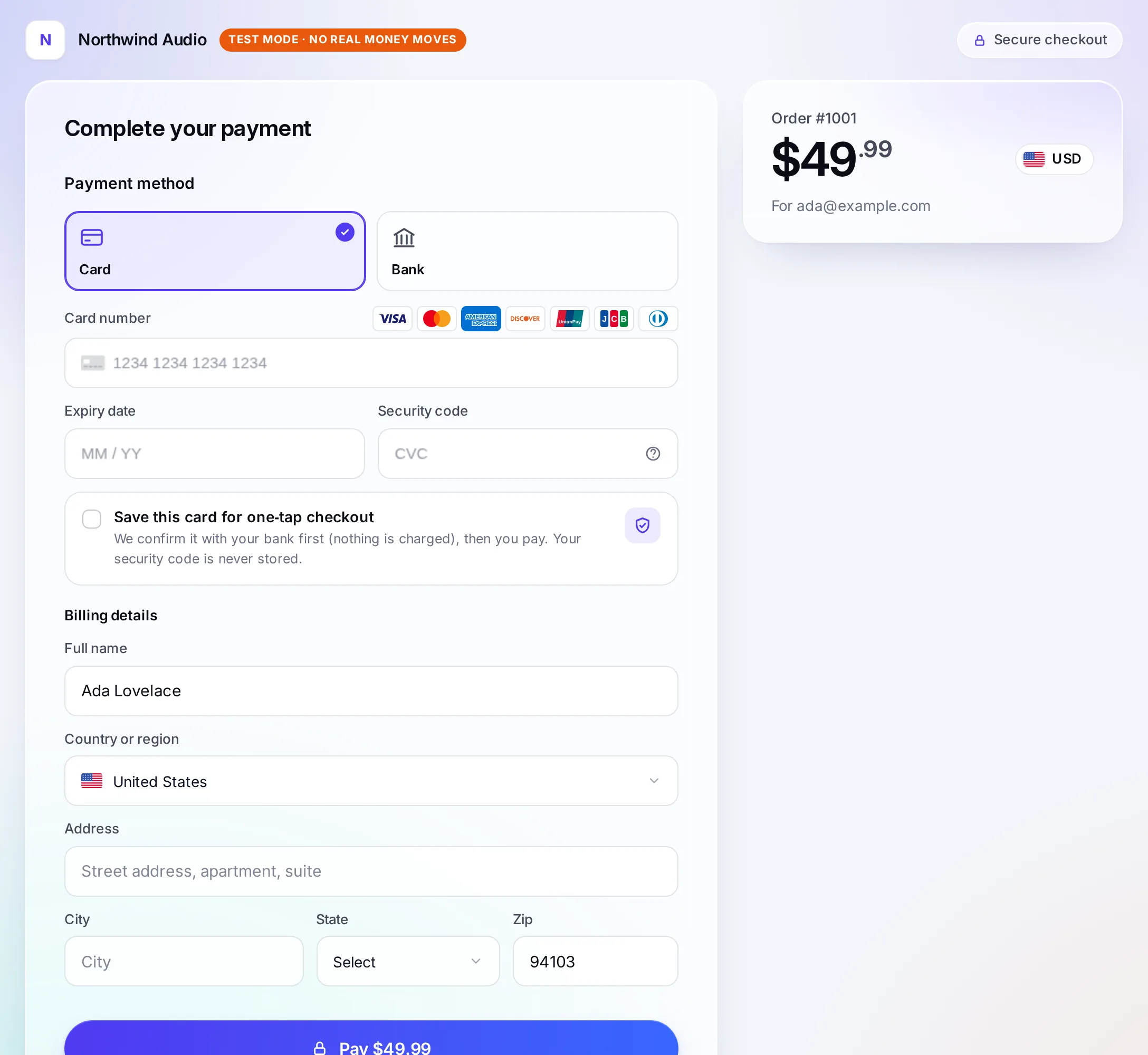
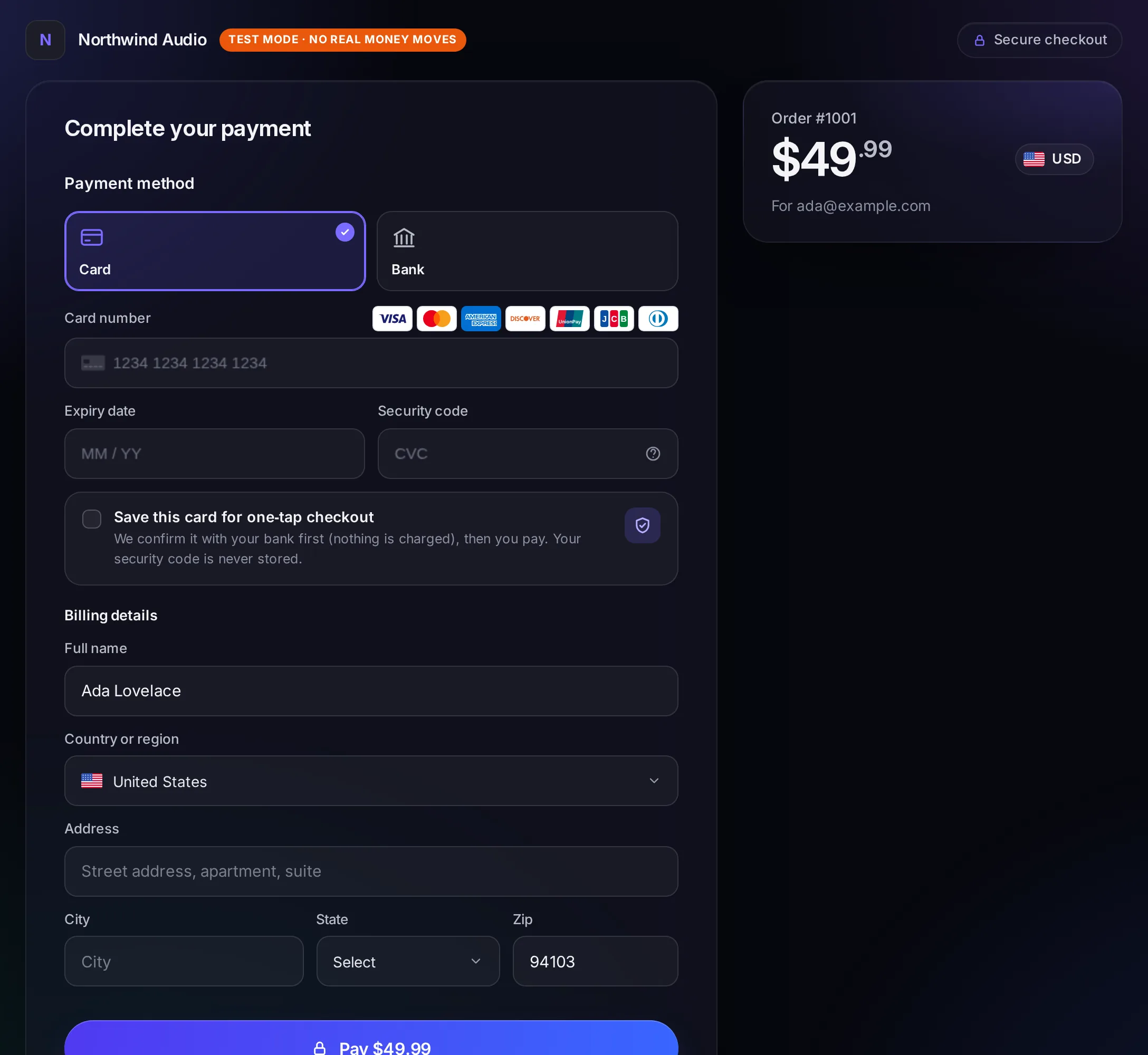
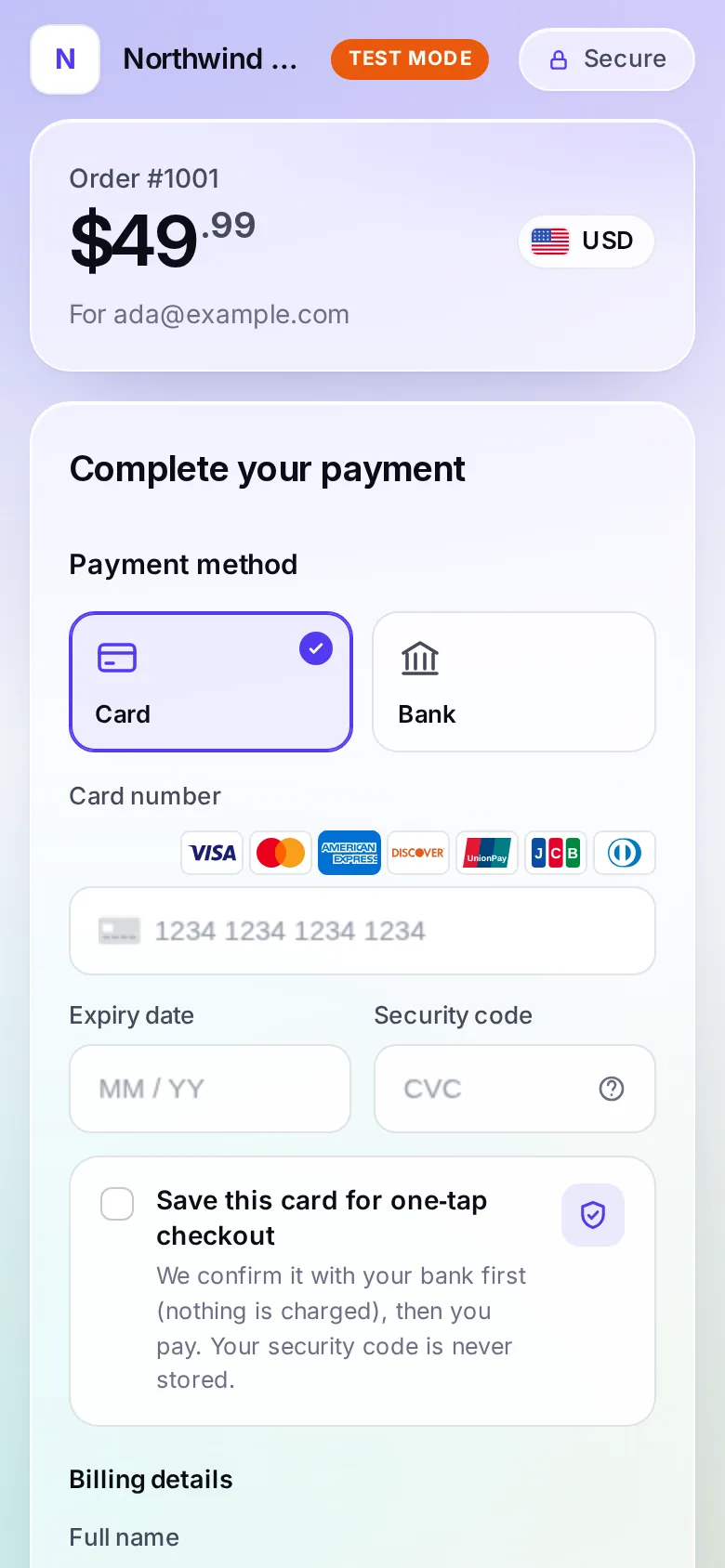
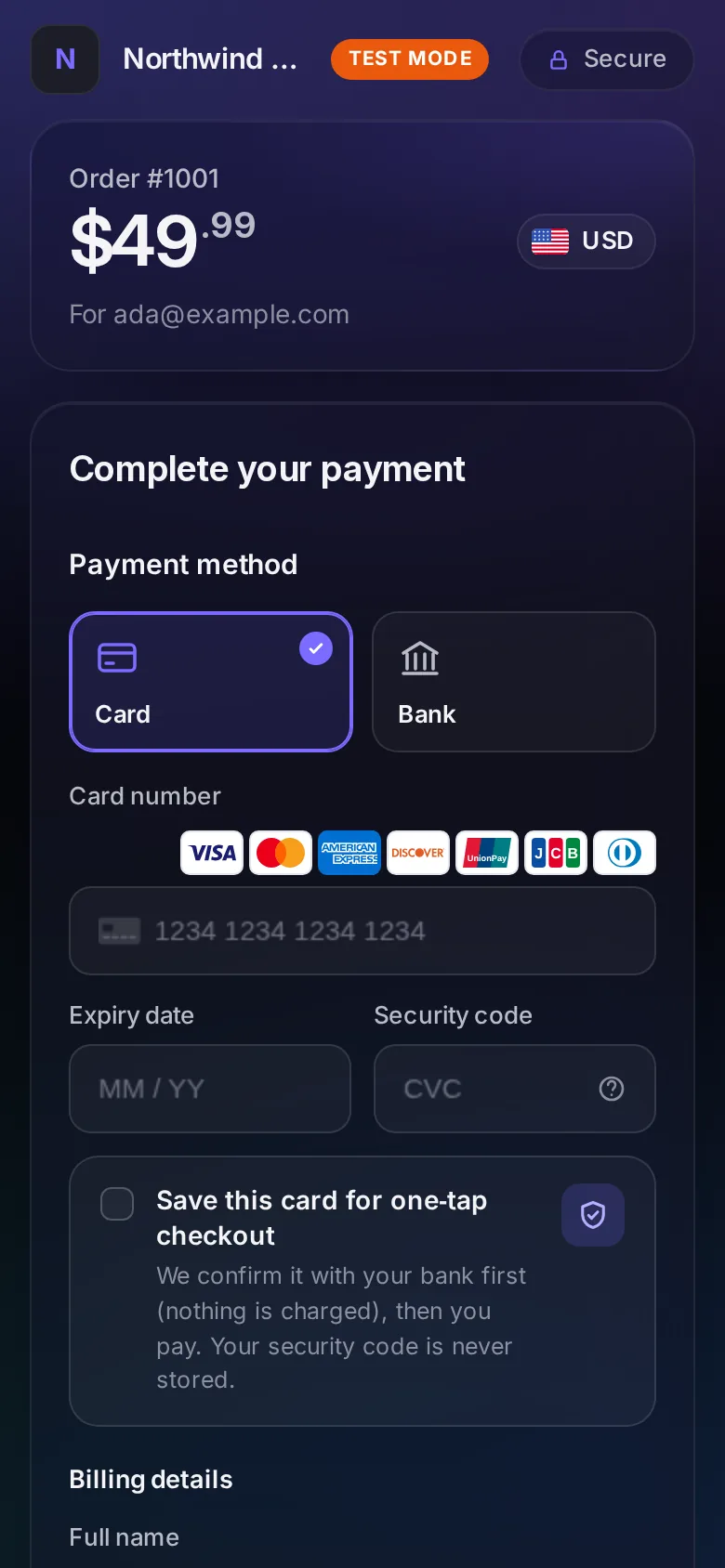
- The order: your
title, the amount and the currency, and the customer's email when you sentclient. - The ways to pay you have turned on that fit the payment, such as cards, Apple Pay and Google Pay, and US bank payments. 3D Secure runs inside the checkout when the bank asks for it.
- Billing details: the name, country and address you sent in
clientare filled in. The customer completes the rest. - In test mode, an orange Test mode mark.
Mobile apps
To open the checkout from your iPhone or Android app, add the app and its return link under Developers › Mobile apps
first, then send app.returnUrl with that link (or a path under it, like acme://vezmo/orders/1042). After paying, the
customer goes back to your app, whatever the outcome, with status (success, pending or failed) and, unless the
payment failed, paymentId.
A link that isn't registered answers 400, with a message that says to add the app under Developers › Mobile apps.
See Checkout for apps.
Fulfil from the webhook
Subscribe your endpoint to at least payment.success and payment.failed (Webhooks). When
payment.success arrives:
- Check the signature.
- Find your order by
data.paymentId. - Check
data.livemodeistrue(in live), and thatdata.amountanddata.currencymatch the order. - Ship the order, once: the same event can arrive more than once, so remember its
id.
A bank payment sends payment.processing first and payment.success when it settles, a few business days later. Don't
ship on processing.
Limits
- Creating sessions allows 60 a minute from one server address (and at most 10 a second, 30 in 10 seconds). Past
that, the call answers
429: wait a few seconds and retry with backoff. Create a session when the customer is ready to pay, not ahead of time. - Every call also counts toward your API key's own limit. See Rate limits.
- While VezmoPay isn't approved for your business, a live key can't create sessions (
403). A test key can, once your business profile is filled in.
Questions
Do I need my site in Trusted origins?
No. Trusted origins are for the embedded checkout, which runs inside your page. The hosted checkout is its own page.
Can I test the redirect on my computer?
The addresses must be https:// with a real domain name: http://localhost is refused. Use an https tunnel to your
computer, or leave the URLs out and watch the webhook.
The customer closed the checkout without paying
Nothing is charged. The payment reads "state": "pending", and stays so when the link expires. Send them the same url
while it works, or create the session again.
Related
Facts checked against the product on 9 Nov 2026.
Was this page helpful?
Choose how to take payments
Compare hosted checkout, embedded checkout, card fields, payment links, invoices, mobile apps and the WooCommerce plugin by the front-end work they need, what your customer sees, the payment methods they offer and how you learn the result.
Webhooks
Get a signed event on your server when something happens in your business, covering adding an endpoint, all 43 events by product, the envelope and payloads, checking the signature, replies and retries, the automatic switch-off, the delivery log, catching up on missed events and changing the signing secret.